Contractor Estimate & Bid Template for Excel and Google Sheets
Construction Estimate & Bid Template
Price a job line by line, then turn it into a one-page proposal the client signs.
- Instant download · Excel workbook (.xlsx), opens in Google Sheets
- 14-day refund, no questions asked
- Personal and business use license
- Free updates to this version
Works with
- Microsoft Excel 2010 or newer
- Google Sheets (File > Import)
- Excel for Mac
- No macros, no add-ins
Made for: General contractors, Remodelers, Handymen, Specialty trades (tile, paint, decks, roofing).
6 tabs, one linked system
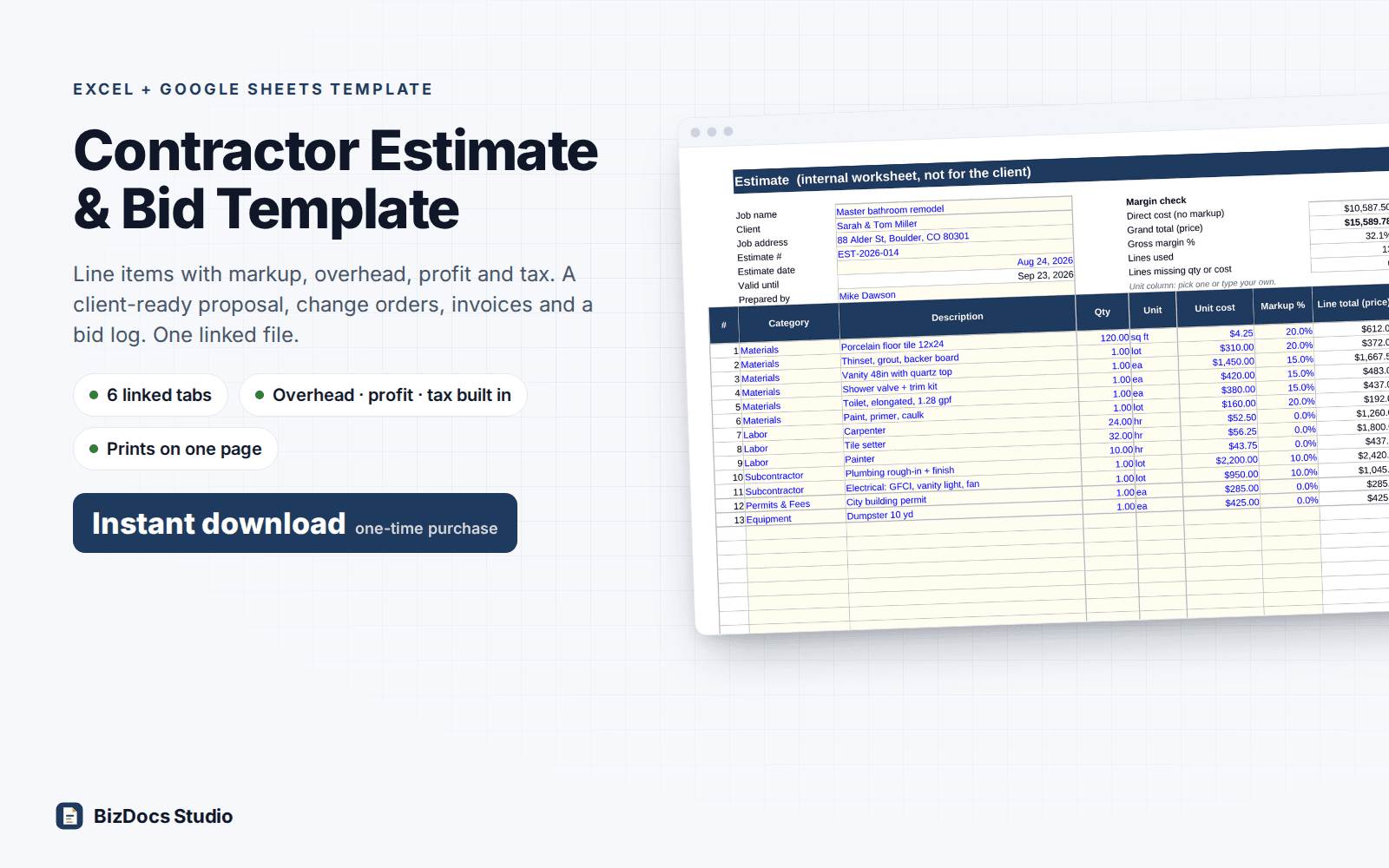
A construction estimate template for contractors and remodelers who want every bid priced from real costs. Enter line items once; the workbook adds overhead, profit, contingency and tax, then fills a one-page client proposal, a change order and an invoice from the same numbers. Works in Excel and Google Sheets.
- 1
Settings
Company name, address, phone, email and license number feed every client document, and a payment instructions line prints on the Invoice. Pricing assumptions: overhead (10% in the sample), profit markup on cost (15%, which the sheet shows as a 13.0% margin on price), contingency (5%), sales tax (8%), a tax rule dropdown (Materials only, Everything, None), deposit (30%) and days an estimate stays valid. A labor table holds up to 10 trades with hourly rate and burden %, and shows each loaded rate. Category, unit and bid status lists live here, with a spare status slot and a check that flags names used twice.
- 2
Estimate
Job header with client, address, estimate number and date. 40 line rows: category and unit from dropdowns, quantity, unit cost and markup %, with price and cost per line. Labor lines suggest the loaded rate when the description matches a trade in Settings. A margin check shows direct cost, grand total and gross margin %, and counts lines missing a quantity or unit cost. The summary totals each category, shows a check line that turns red and counts the lines if any line has a blank or unlisted category, then adds contingency, overhead, profit and tax.
- 3
Proposal
Fills itself from the Estimate: your header, estimate number, date, valid-until date, client and project. Scope of work shows one amount per category with contingency, overhead and profit folded in, so line costs and markups never appear; lines without a listed category are added to the last scope line, which then says 'and uncategorized items', so the total always matches the Estimate. Amounts are rounded to the cent and add up exactly. Subtotal, sales tax and total follow, then the deposit due at signing and the balance, billed by progress and on completion. Four standard terms and two signature lines.
- 4
Change Order
Number, date and reason, with client, project and original contract total pulled in. 15 lines for description, category, quantity, unit and unit price, with the category picked from the same list as the Estimate. Overhead and profit from Settings are added as one markup line, then sales tax by the same rule as the Estimate, on the marked-up price of the taxed lines: under Materials only, the Materials lines and any line still missing a category are taxed, and a check beside the sheet counts lines whose category is blank or not on the list. You type the total of earlier change orders; the sheet shows the revised contract total, schedule impact in days and signature lines.
- 5
Invoice
Choose Deposit, Progress or Final in a setup box beside the invoice (the box does not print), from a dropdown that accepts only those three. Deposit bills your Settings deposit % of the contract, Progress bills the % complete you type, and Final bills the full revised total. The contract total comes from the Proposal; you enter approved change orders and payments received, and the amount due never drops below zero. Payment instructions come from Settings.
- 6
Job Log
200 rows, one per bid: estimate number, client or job, date sent, bid total before sales tax and status (Draft, Sent, Won, Lost, editable in Settings, plus a spare slot). The top counts bids sent and won, win rate (won divided by won plus lost), revenue won, open pipeline (bids still Sent) and average bid, and flags any row whose status is blank or not on the list.
What you can count on
- Overhead, profit, contingency and tax applied the same way on every job, each rate shown beside its summary line
- Profit is set as a markup on cost and labelled that way; Settings shows what it equals as a margin on price
- Tax rule you choose: Materials only taxes the marked-up Materials category (and any line still missing a category), Everything taxes the full price, None turns it off
- Labor rate lookup with burden built in: a carpenter at $42 an hour plus 25% burden shows $52.50
- The Proposal never shows your costs or markup: it gives one marked-up amount per category, and a line with no category still reaches the Proposal total. The Change Order is cost-plus: it lists the added work at the unit prices you type and shows overhead and profit as one markup line
- Proposal, Change Order and Invoice each print on a single page, ready for PDF
- Worked sample job: a master bathroom remodel with 13 line items, a $15,589.78 total and a 32.1% gross margin
- Sample change order: $1,397.50 of heated floor and subfloor work becomes $1,850.82 after markup and materials-only sales tax
- 306 formulas, nothing hidden, nothing locked; input cells are pale yellow with blue text
Last updated November 21, 2026. Buyers get updates to this version free, by email.
Before you buy
Does it work in Google Sheets?
Yes. Open Google Sheets, File > Import > Upload the .xlsx. Dropdowns, formulas and formatting carry over. Every formula is Sheets-compatible, and there are no macros. We imported the workbook into Google Sheets and tested it there.
Can I change the currency or tax rules?
Yes. Amounts use a US dollar format you can change under Format > Number > Currency. Tax applies to materials only, everything, or nothing, chosen in Settings. The Change Order tab follows the same rule: each of its lines takes a category from the same list, and under Materials only the Materials lines (and any line still missing a category) are taxed on their marked-up price, as on the Estimate (a change order adds overhead and profit but no contingency).
Is anything locked or hidden?
No. Every formula is visible and editable, and no sheet, row or column is protected or hidden. Input cells are pale yellow with blue text so you know what to touch.
How do I get the file?
Instantly after payment: a download page opens and the link is also emailed to you. Lost it? Email us and we resend it.
What if it is not what I need?
Email us within 14 days and we refund you. No forms, no questions.
How are contingency, overhead and profit calculated?
In sequence, after per-line markup. Contingency is a percentage of the line subtotal, overhead applies to subtotal plus contingency, and profit is a markup on all three, so a 15% markup is about 13.0% of the pre-tax price. Each amount is rounded to the cent. In the sample, $11,436.00 of lines, $571.80 contingency, $1,200.78 overhead, $1,981.29 profit and $399.91 tax make $15,589.78.
What does the margin check measure?
Grand total minus direct cost, divided by grand total. Direct cost is quantity times unit cost before any markup: $10,587.50 in the sample, against $15,589.78, for 32.1%. Sales tax sits inside the grand total, so on taxed jobs the figure reads slightly high.
How many line items fit?
40 lines per estimate, 15 per change order and 200 bids in the Job Log. For a larger job, group small items into one lot line.
Can I rename the categories or units?
Yes. The six categories and ten units in Settings feed the dropdowns, the summary, the Proposal and the Change Order's tax. Keep six categories, since the summary and Proposal have six rows, and keep taxable materials in the first slot: the Materials only rule reads that one. Lines still carrying an old name show on the red check line (the Change Order has its own) and are added to the Proposal's last scope line until you re-pick them; under Materials only they are taxed meanwhile, so nothing drops out of the total.
Does it connect to accounting software or work out my tax?
No. There is no sync to QuickBooks or other software. Sales tax is one rate and one rule you set; the file does not look up local rates or decide what is taxable. Check those with your accountant or state revenue office.
Learn before you fill it in
- How to write a construction estimate, step by step
How to write a construction estimate step by step: line items, labor burden, overhead, profit, contingency and tax, with a worked example. Free sample PDF.
- How to write a construction proposal that wins the job
What a construction proposal needs, section by section: scope by phase, exclusions, allowances, options, payment schedule and timeline, with a worked example.
- How to write, price and track a construction change order
When to use a change order, what it must include, how to price it with markup, credits and days, and how a log tracks the revised contract sum. With examples.
- How to bill construction work: deposits, progress billing and retainage
How to invoice a construction job: deposit and final invoices, schedule of values, % complete, stored materials, retainage and payment terms, with examples.
More templates for contractors
Construction Proposal Template Kit
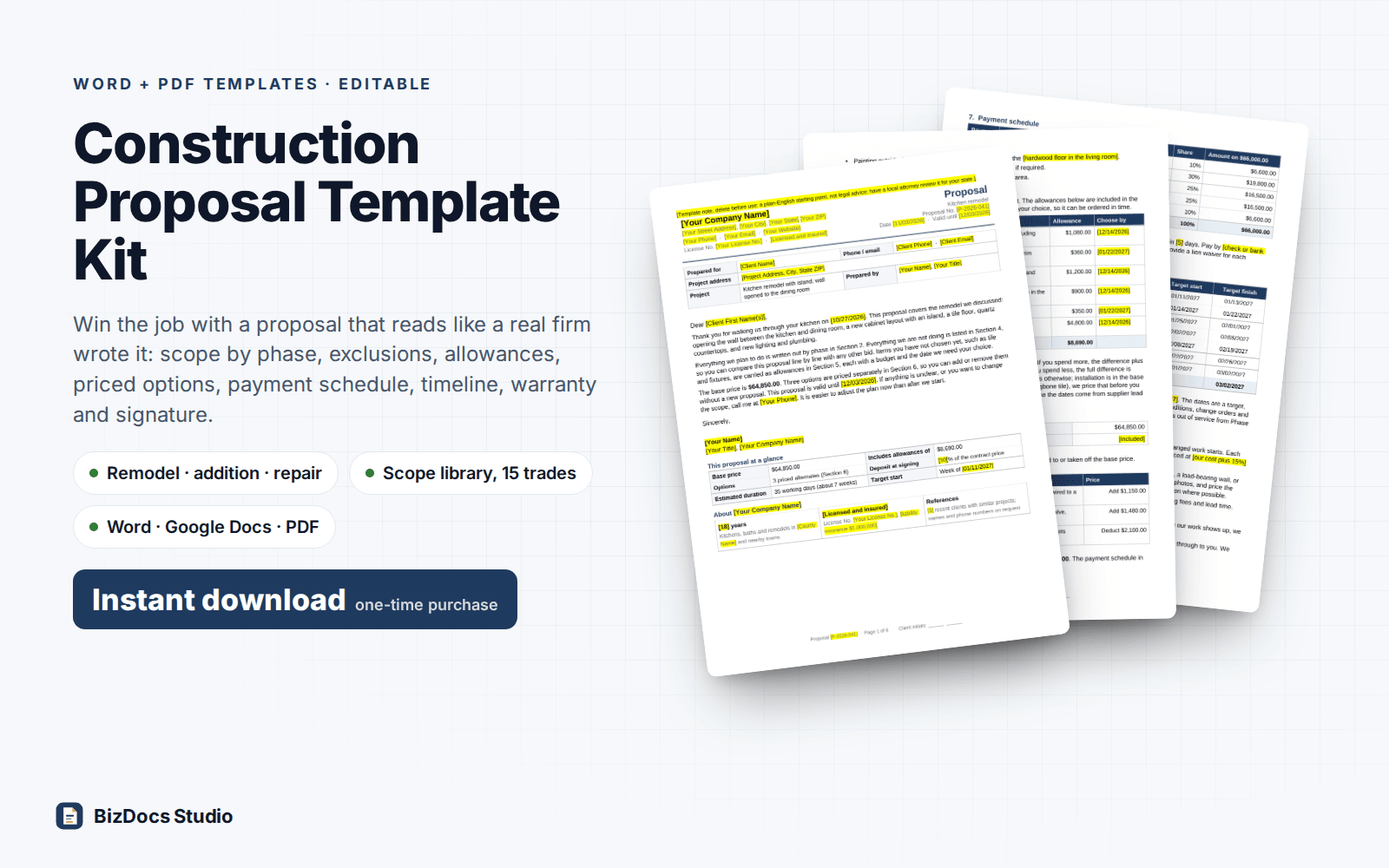
Remodel, addition and repair proposals with scope by phase, exclusions, allowances, priced options and a signature page.
Change Order Form & Log
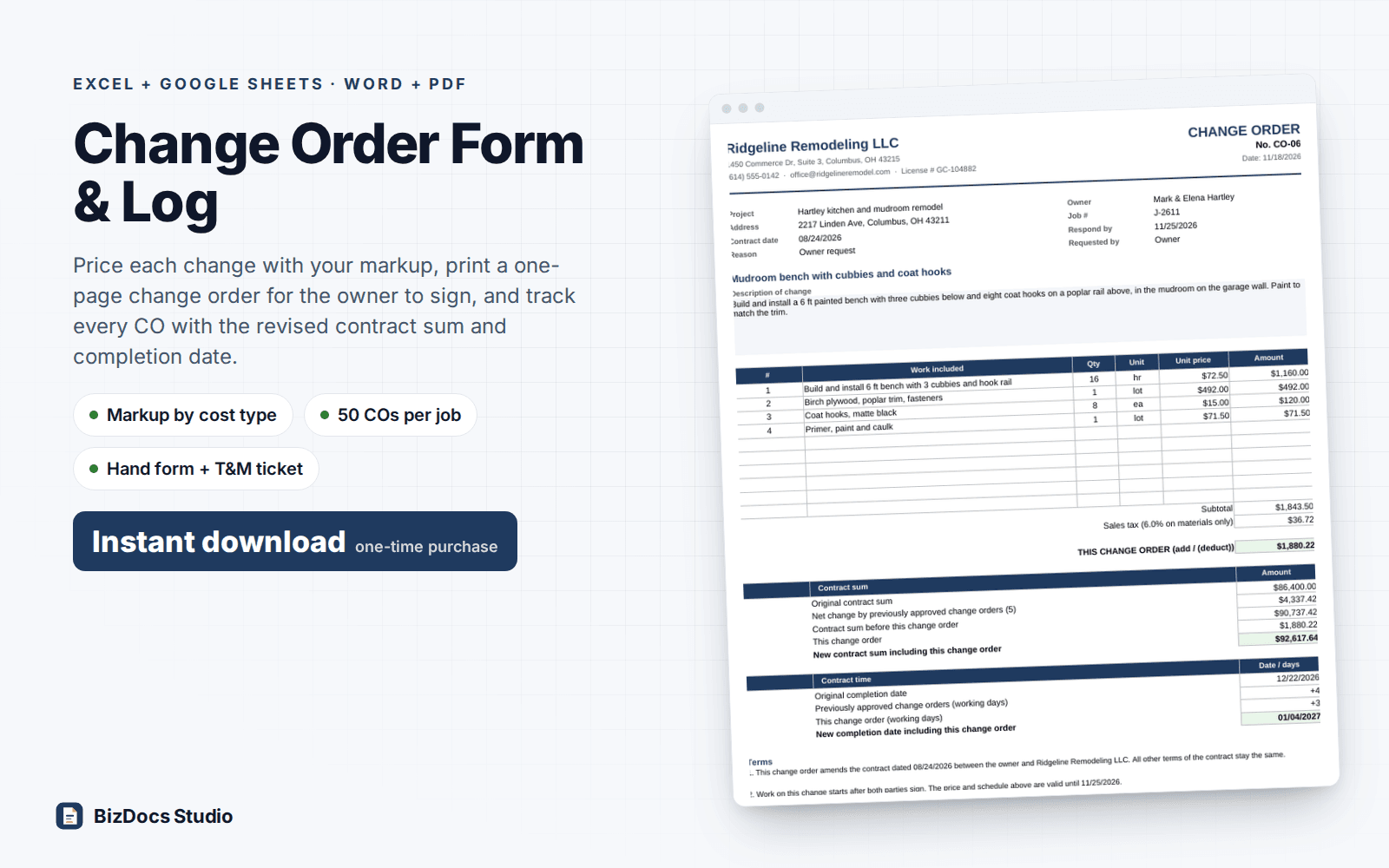
Price each change with your markup, print a one-page change order for signature, and track every CO with the revised contract sum and completion date.
Construction Invoice & Progress Billing Template
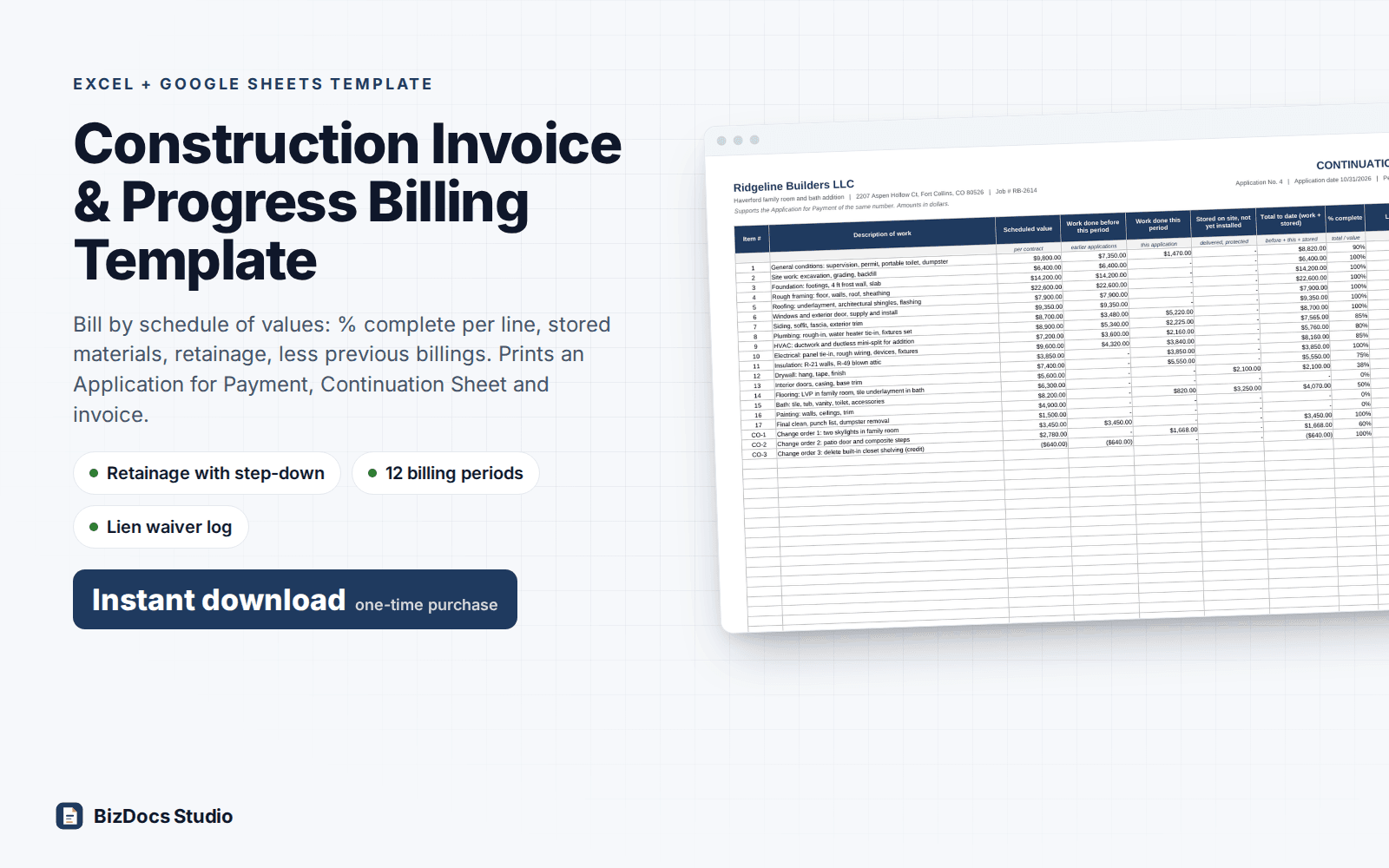
Progress invoices by schedule of values, with retainage, stored materials and the amount due each period.
Construction Estimate & Bid Template
$16 one-time · instant download · 14-day refund