Contractor Toolkit Bundle: three Excel workbooks
Contractor Toolkit Bundle
The estimate, job cost tracker and invoice tracker for contractors, sold together for less.
- Instant download · ZIP: 3 Excel workbooks (.xlsx) + Start Here guide
- 14-day refund, no questions asked
- Personal and business use license
- Free updates to this version
Works with
- Microsoft Excel 2010 or newer
- Google Sheets (File > Import)
- Excel for Mac
- No macros, no add-ins
Made for: General contractors and remodelers, Specialty trades with several jobs at once, Owner-operators replacing a notebook and a shoebox.
4 parts that work together
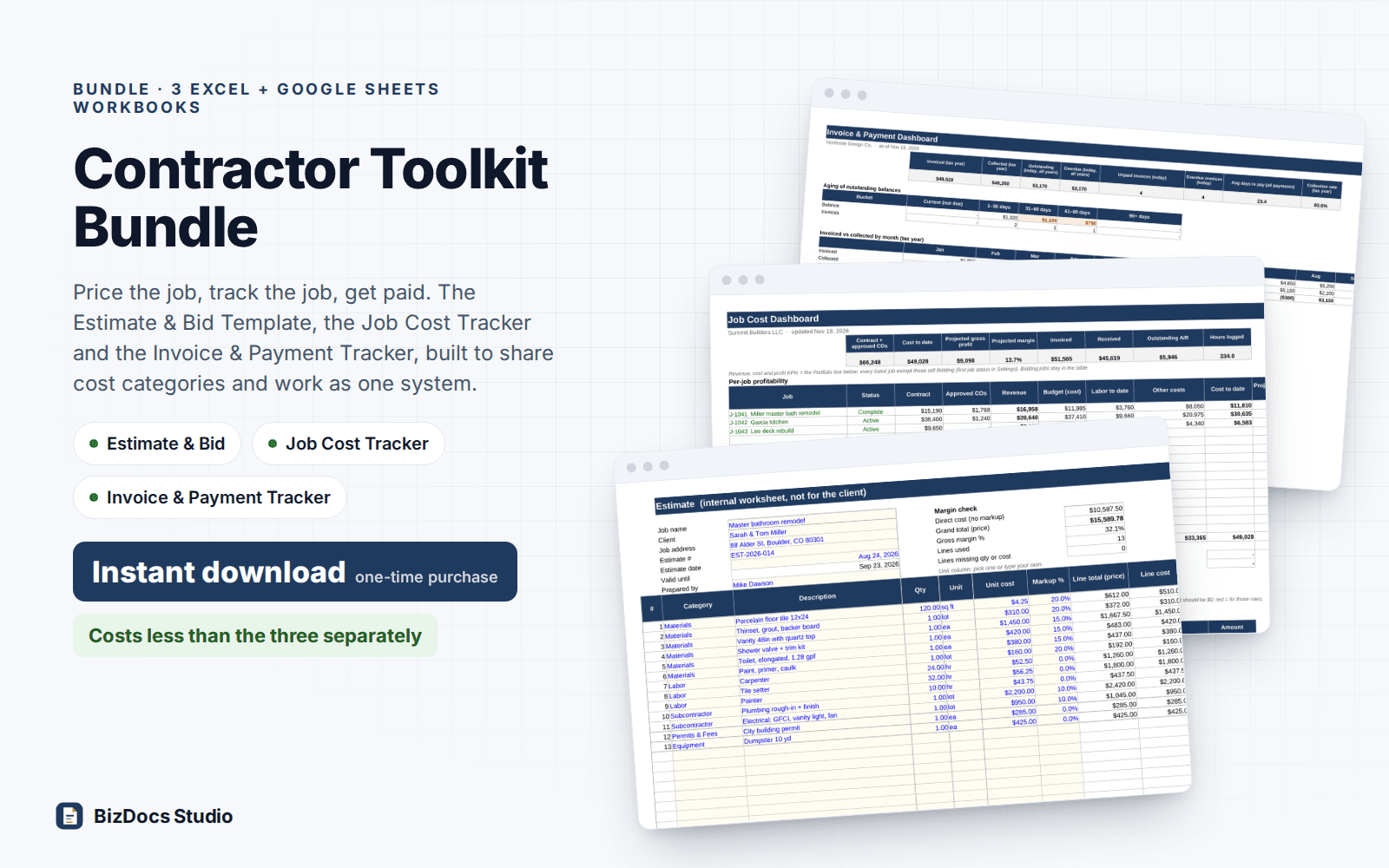
Three contractor templates that hand off to each other: the construction estimate template prices the job, the job costing spreadsheet tracks it against budget, and the invoice tracker makes sure you get paid. Bought together they cost about 30% less than separately.
- 1
Contractor-Estimate-Bid-Template.xlsx
The Contractor Estimate & Bid Template, $16 on its own. Settings, a 40-line Estimate with category and unit dropdowns, per-line markup, contingency, overhead, a profit markup, a tax rule and a loaded labor rate lookup. It produces a one-page Proposal that hides your costs and always matches the estimate total, a 15-line Change Order, a Deposit, Progress or Final Invoice, and a 200-row Job Log with win rate. Sample: a master bathroom remodel priced at $15,589.78.
- 2
Job-Cost-Tracker.xlsx
The Job Cost Tracker, $13 on its own. Settings, budgets for 15 jobs across seven cost categories, a 500-row Time Log that prices hours at loaded rates, 400 cost rows, 50 change orders and 100 billing rows. The Dashboard shows projected gross profit and margin per job against your target, budget vs actual by category for a chosen job, and earned vs invoiced vs received. Contract values, change orders and billing are entered before sales tax. Sample: three jobs; the finished bath closes at 30.4% margin, just above the 30% target, and the two active jobs project below it.
- 3
Invoice-Payment-Tracker.xlsx
The Invoice & Payment Tracker, $7 on its own. Settings with 30 clients on their own terms, 300 invoices with automatic due date, balance, status and days overdue, and 500 payment rows. The Dashboard covers tax-year totals, balances as of today, five aging buckets, invoiced vs collected by month, a 10-line chase list and balances by client. A one-page Statement and Invoice print from it. Sample: a design studio's year of billing.
- 4
START-HERE.txt
A plain text file in the ZIP. It says what each workbook is for and the order of use: estimate the job, log the bid, add the won job to the Job Cost Tracker's Jobs tab with the estimate's cost by category as the budget, log hours, receipts and change orders, invoice from the estimate workbook and record each invoice on the Job Cost Tracker's Billing tab and in the Invoice Tracker, then watch margin and collections on the two dashboards. It says which figures to enter before sales tax, shows how to work out each invoice's Billing row and its sales tax and how to record each payment in both trackers, with the sample job as a worked example, and a table shows which estimate category goes into which budget column.
What you can count on
- Cost categories that line up: six in the estimate, seven in the job cost tracker, which splits out Dumpster & disposal; the Start Here guide maps each one
- Proposal, change order and invoice share one company header from Settings and all quote the estimate number
- Projected margin per job and collections per client on separate dashboards
- 5,700+ formulas across the three workbooks (306, 1,328 and 4,093), all visible and editable
- Every file ships with a worked sample, and the bathroom remodel carries across two of them: the Job Cost Tracker picks it up at the estimate's $15,189.87 price before sales tax, with its cost budget, change order, purchases and three invoices
- Buy once, use on every job: the license covers use within your own company
- No macros or add-ins in any of the three files; each one was tested in Google Sheets after import
- One ZIP: three .xlsx workbooks, each with its own Start Here tab, plus START-HERE.txt
Last updated November 21, 2026. Buyers get updates to this version free, by email.
Before you buy
Do the files link to each other automatically?
No. They are three independent workbooks so each stays simple and portable. The Start Here guide shows the handoff: copy the estimate's cost by category into the job budget, and record invoices in the tracker. It takes a minute per job. The estimate summary lists cost next to price for each category, so the figure to copy is easy to find. The estimate's sample bath job is also the first job in the Job Cost Tracker, entered there before sales tax.
Do they work in Google Sheets?
Yes. Import each .xlsx with File > Import. Dropdowns, formulas and charts carry over. The two trackers each have one bar chart and the estimate has none. All three files were tested in Google Sheets after import, and none uses macros.
I already bought one of them. Can I get the bundle price?
Yes. Email us your order receipt and we send a discount code for the difference.
What if it is not what I need?
Email us within 14 days and we refund you. No forms, no questions.
Which file do I start with?
The estimate. Price the job, print the Proposal and log the bid in the Job Log. Once it is won, add the job to the Job Cost Tracker with the estimate's price before sales tax as the contract value and its cost by category as the budget. Record each invoice printed from the estimate workbook on the Job Cost Tracker's Billing tab, before sales tax, and in the Invoice Tracker for payments, aging and statements.
Do the cost categories match exactly?
Nearly. The estimate uses Materials, Labor, Subcontractor, Equipment, Permits & Fees and Other. The Job Cost Tracker has the same groups with slightly different names, plus Dumpster & disposal, which the estimate sample books under Equipment. Rename them in either Settings tab if you want identical names.
How much does each file hold?
Estimate: 40 lines per job, 15 change order lines and 200 bids. Job Cost Tracker: 15 jobs, 500 time entries, 400 costs, 50 change orders and 100 billing rows. Invoice Tracker: 300 invoices, 500 payments and 30 clients. When a tracker fills, start a fresh copy for the next year.
Does it replace accounting software?
No. The files track estimates, job profit and receivables for your own decisions. They do not post to a ledger, sync with QuickBooks or file anything, and tax is a simple rate you set. Ask your accountant how to report sales tax and income.
Can I share the files with another company?
The license covers personal and business use within your own company, and resale is not allowed. Anyone on your team can use the files for your jobs. Another business needs its own copy. The license text is in START-HERE.txt inside the ZIP.
Learn before you fill it in
- How to write a construction estimate, step by step
How to write a construction estimate step by step: line items, labor burden, overhead, profit, contingency and tax, with a worked example. Free sample PDF.
- Job costing for contractors: how to see profit while the job runs
How contractors track job costs: cost codes, labor hours at loaded rates, materials, subcontractors, change orders and margin, reviewed while the job runs.
- How to bill construction work: deposits, progress billing and retainage
How to invoice a construction job: deposit and final invoices, schedule of values, % complete, stored materials, retainage and payment terms, with examples.
More templates for contractors
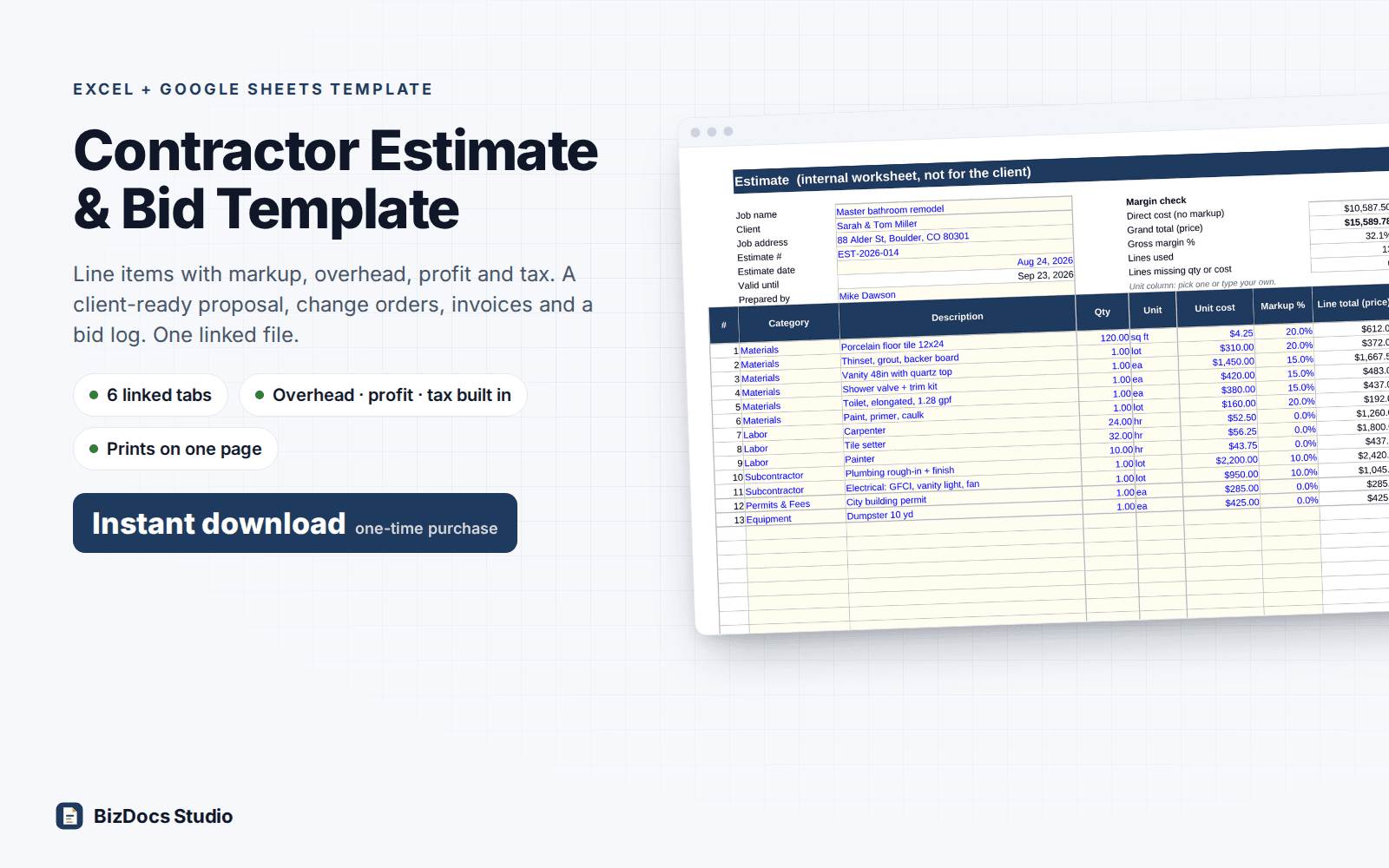
Construction Estimate & Bid Template
Price a job line by line, then turn it into a one-page proposal the client signs.
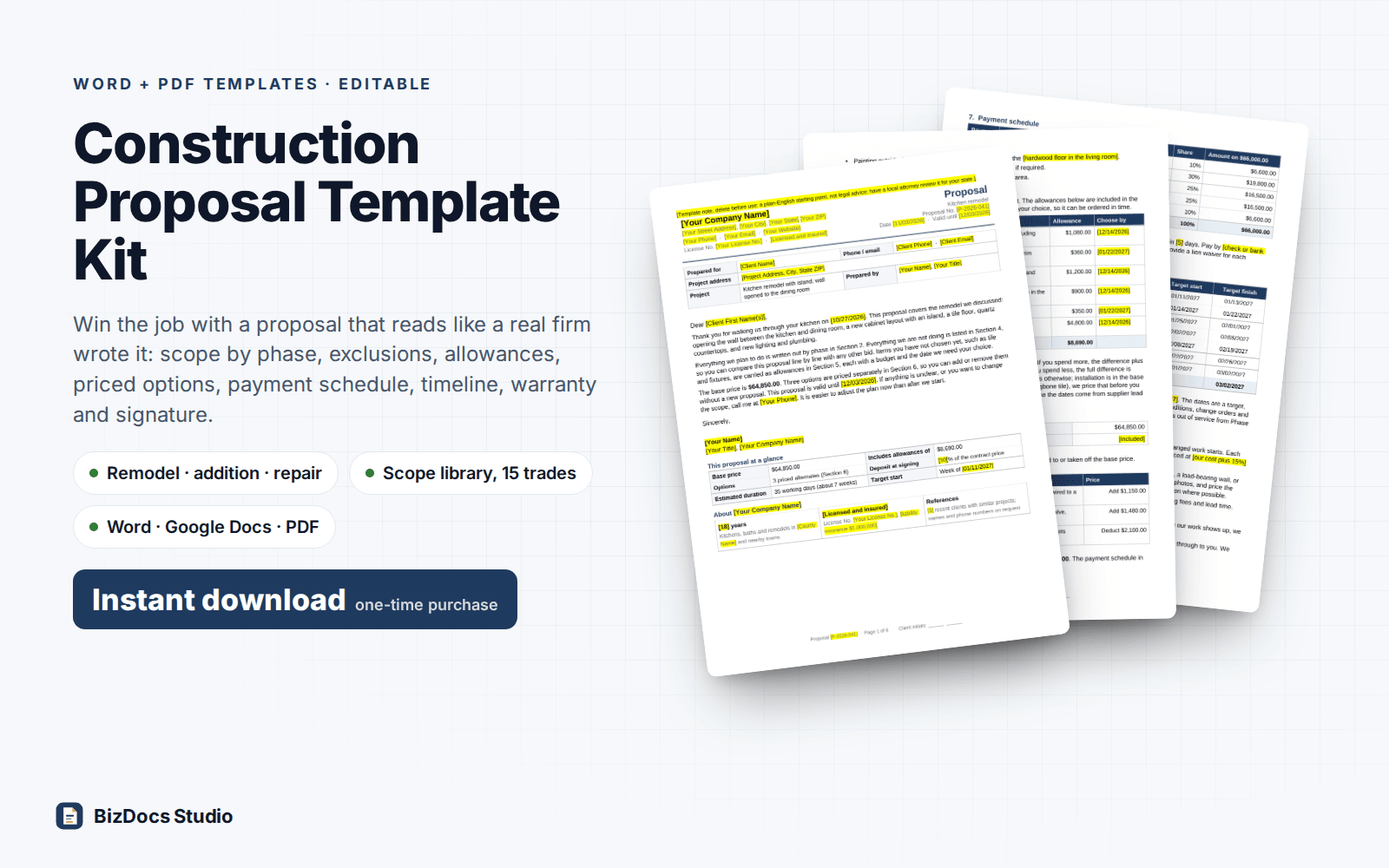
Construction Proposal Template Kit
Remodel, addition and repair proposals with scope by phase, exclusions, allowances, priced options and a signature page.
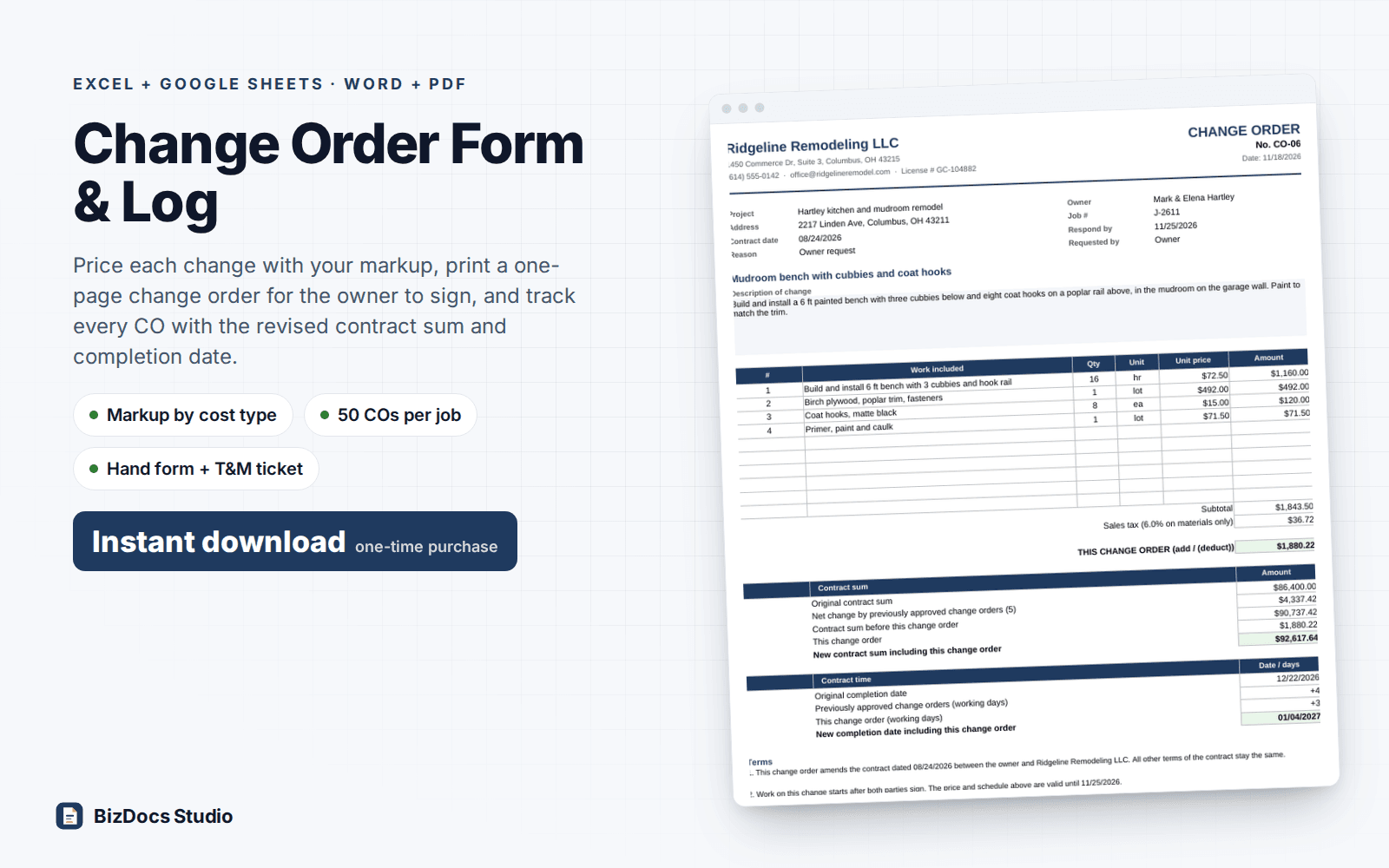
Change Order Form & Log
Price each change with your markup, print a one-page change order for signature, and track every CO with the revised contract sum and completion date.
Contractor Toolkit Bundle
$21 one-time · instant download · 14-day refund